
Mdt 2012 Deployment Guide Step by Step 2 of 11
2.1 Creating an MDT Deployment Share
An MDT Deployment Share is the specific deployment environment which will be used for OS deployment. The share contains all elements of the deployment including drivers, applications, OS images etc.- Log on to the MDT server and open the “Deployment Workbench”
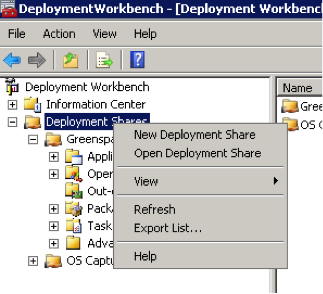
- Right-click on “Deployment Shares” in the left pane of the workbench and select New Deployment Share
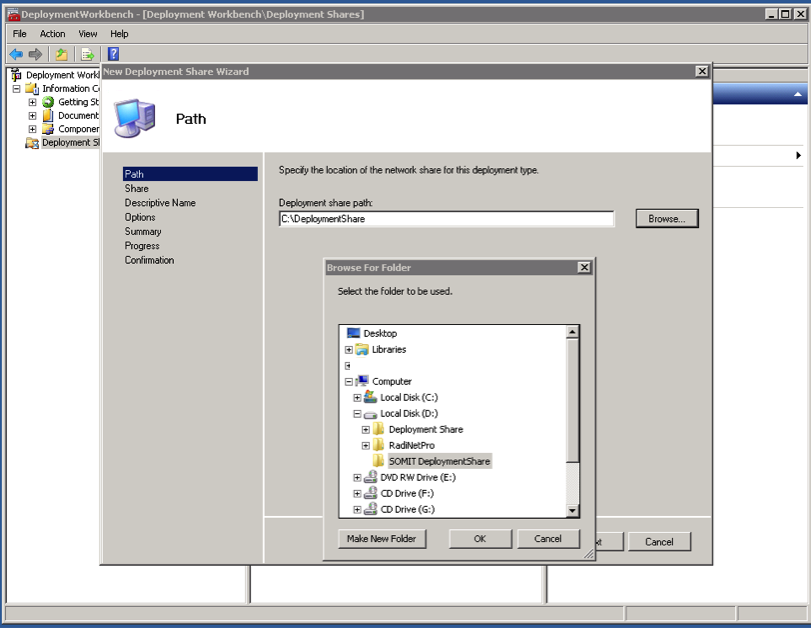
- In the New Deployment Share Wizard, choose a location for the new share. Once you’ve selected a folder, click Next
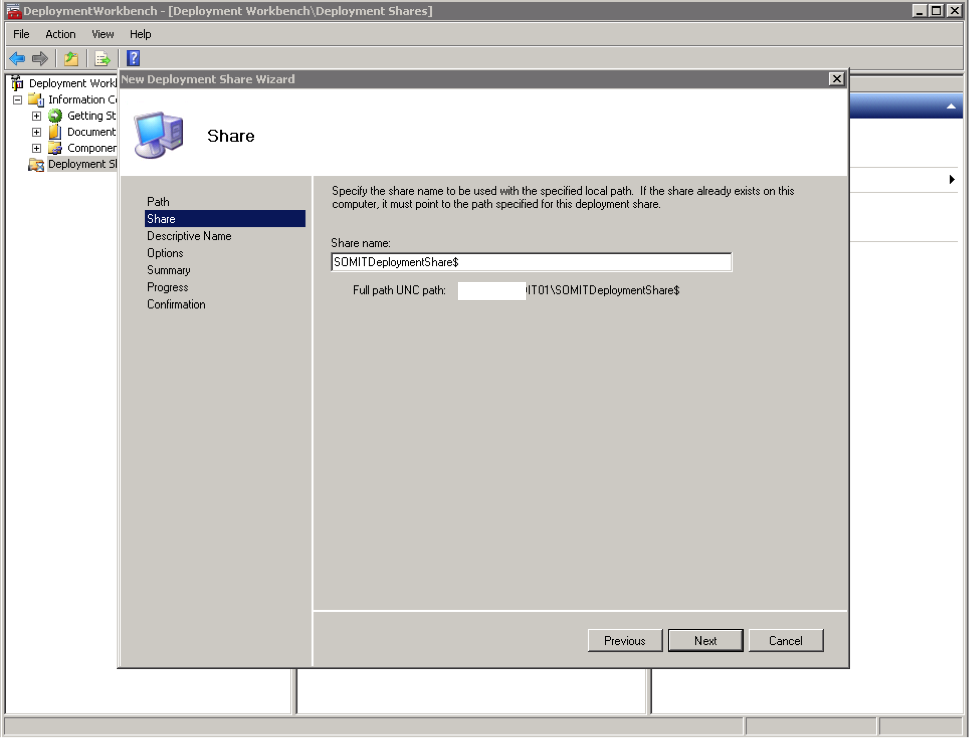
- Give the share a name – the name used previously should be fine. Click Next
- Enter a descriptive name for the share (“NewCustomer Deployment Share” for instance) and click Next
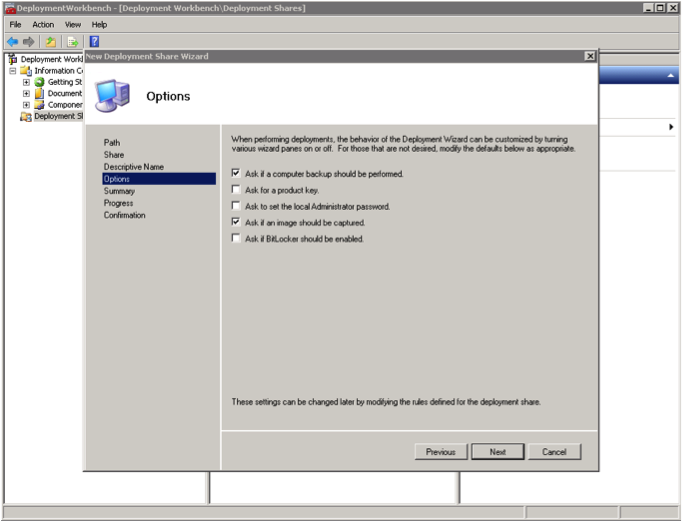
- Uncheck the next three options - Allow Image Capture, Allow Admin Password and Allow Product Key – click Next after each
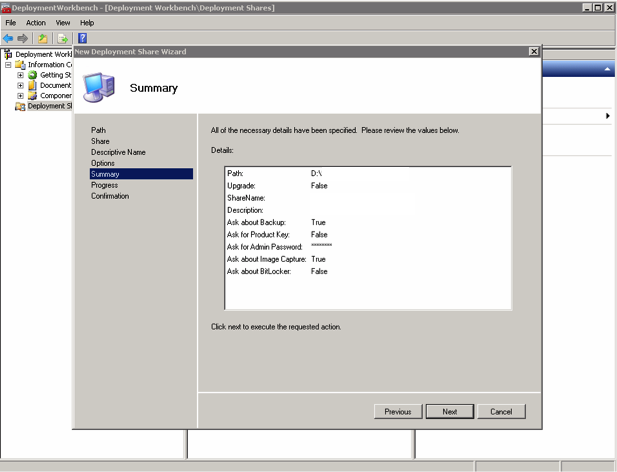
- The Summary screen should look similar to the one below. Click Next
- Wait while the deployment share is created. Once this is done, a Confirmation screen will be shown. Ensure no errors appear.
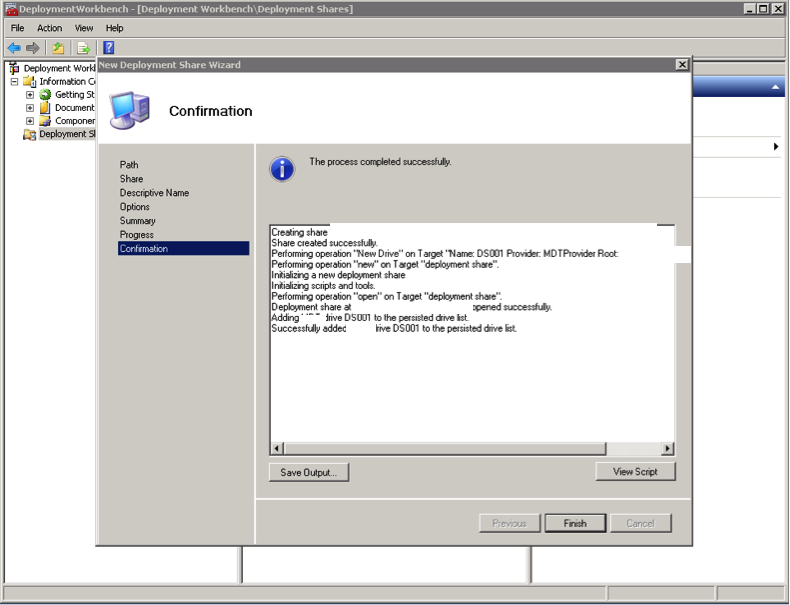
- Click Finish
Continue reading